Craft CMS plugin

Download Tracker

Lightweight, static-cache-friendly download tracking for Craft CMS.

Overview

Download Tracker counts how many times each file is downloaded without creating a database row for every download. It keeps one atomic counter per file, adds compact daily rollups, and continues working on pages served from a full-page cache.

Automatic click tracking works without template changes, while managed links support private, remote, gated, or forced-download files. The control panel includes searchable reports, CSV export, crawler handling, and a Top Downloads widget.
  • One row per file

    A file downloaded a million times is still a single row. No per-download records.

  • Counts behind Blitz

    A small background request does the counting, so downloads from fully cached pages are still counted.

  • People first

    Human downloads lead every figure, with crawler downloads counted separately by default.

Features

What it does

  1. One counter per file

    Each file has one running total, updated with an atomic count + 1. No per-download rows, and no race conditions under heavy concurrent traffic.

  2. Works with static caching

    Counting happens on a lightweight background request that full-page caches let through, so it keeps working on pages served straight from Blitz or a similar cache.

  3. Zero-touch click tracking

    Turn it on and it counts your existing download links by path, file type or download attribute. No template changes. Add data-dt-ignore to leave a link out.

  4. People and crawlers apart

    Crawler downloads are counted separately by default, or ignored, or refused with a 403 on managed links. The people figure leads every list and report.

  5. Sharper crawler detection

    Around a thousand lesser-known crawlers are recognised out of the box. Admins can refresh the list from the Crawlers page, or schedule the refresh from the command line.

  6. Managed download links

    Signed, tamper-proof links for gated, private, remote or forced ‘Save as’ downloads, with an optional login requirement and link expiry.

  7. Day-by-day history

    A compact daily rollup per file, pruned automatically. Each file has a detail screen with a 30, 90 or 365-day chart, a table and CSV export.

  8. Reporting in the control panel

    A searchable, sortable Downloads screen with CSV export, saved reports and a Top Downloads dashboard widget.

  9. Twig API

    Read totals, the people and crawler split, daily history and the most-downloaded files in your templates, or build a signed download link.

  10. Import from Link Vault

    Bring each file's total, last-downloaded date and daily history across from Link Vault. It shows what it will do first, and is safe to run twice.

  11. Read-only reporting API

    Set a connection code and an outside tool can read summary download stats over signed, short-lived requests. Leave it blank and the API stays off.

  12. Craft 4 and Craft 5

    One release runs on both, so you can import your Link Vault history and drop Link Vault before upgrading to Craft 5.

Screenshots

See it in the control panel

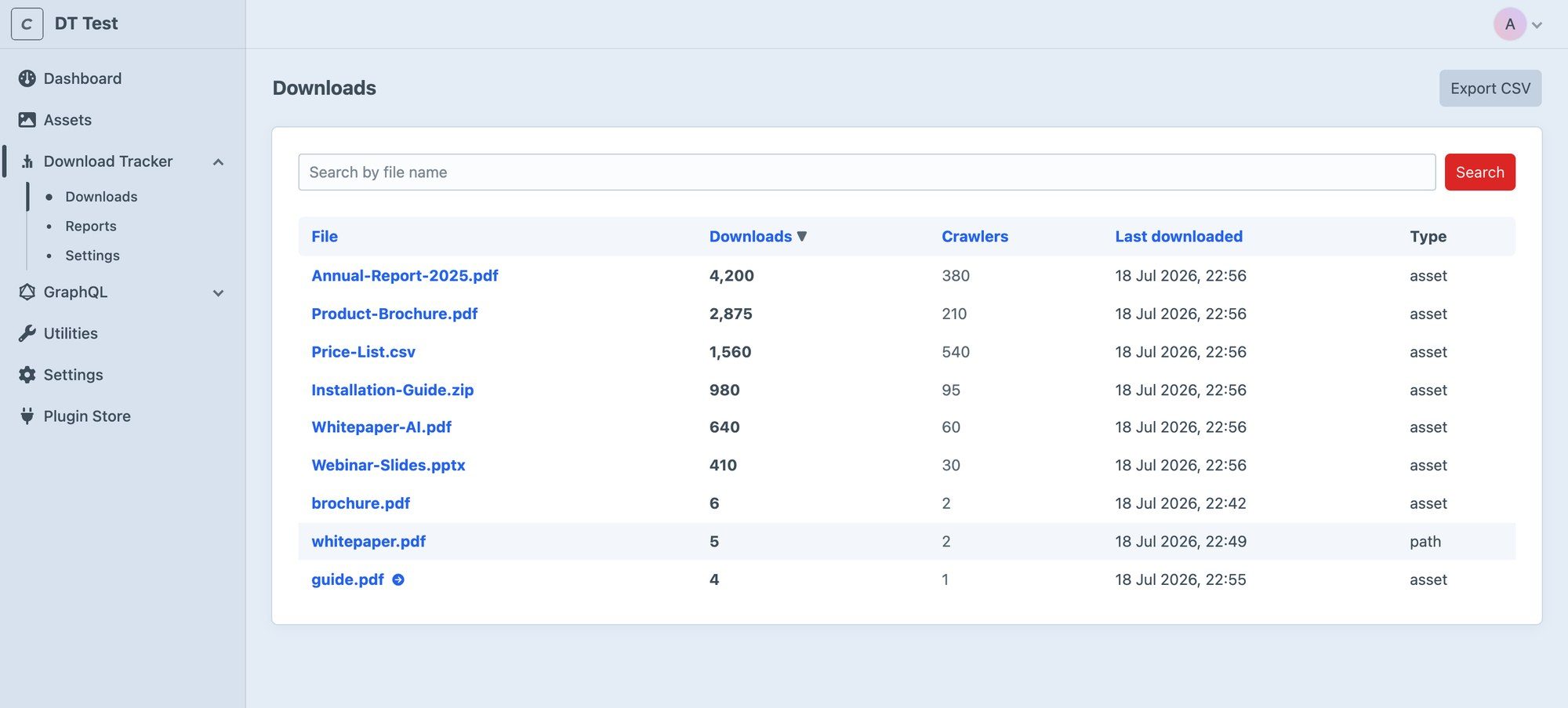
  • Download Tracker's Downloads screen listing files with download counts, crawler counts and last-downloaded dates.
    (view larger)
    The Downloads screen, searchable and sortable, with CSV export.
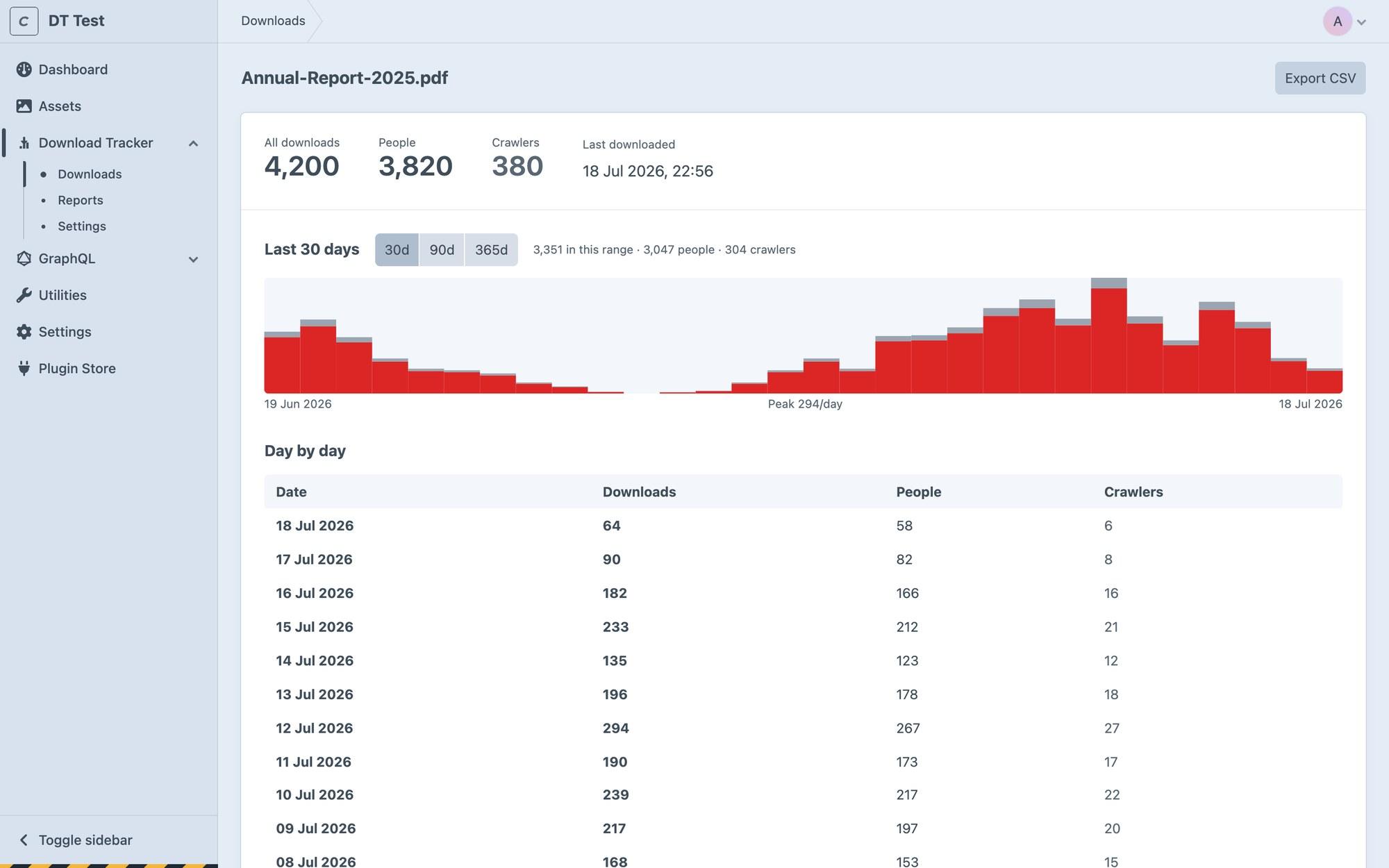
  • A file's detail screen showing download, people and crawler totals, a 30-day bar chart and a daily table.
    (view larger)
    Each file's detail screen, with people and crawlers split by day.
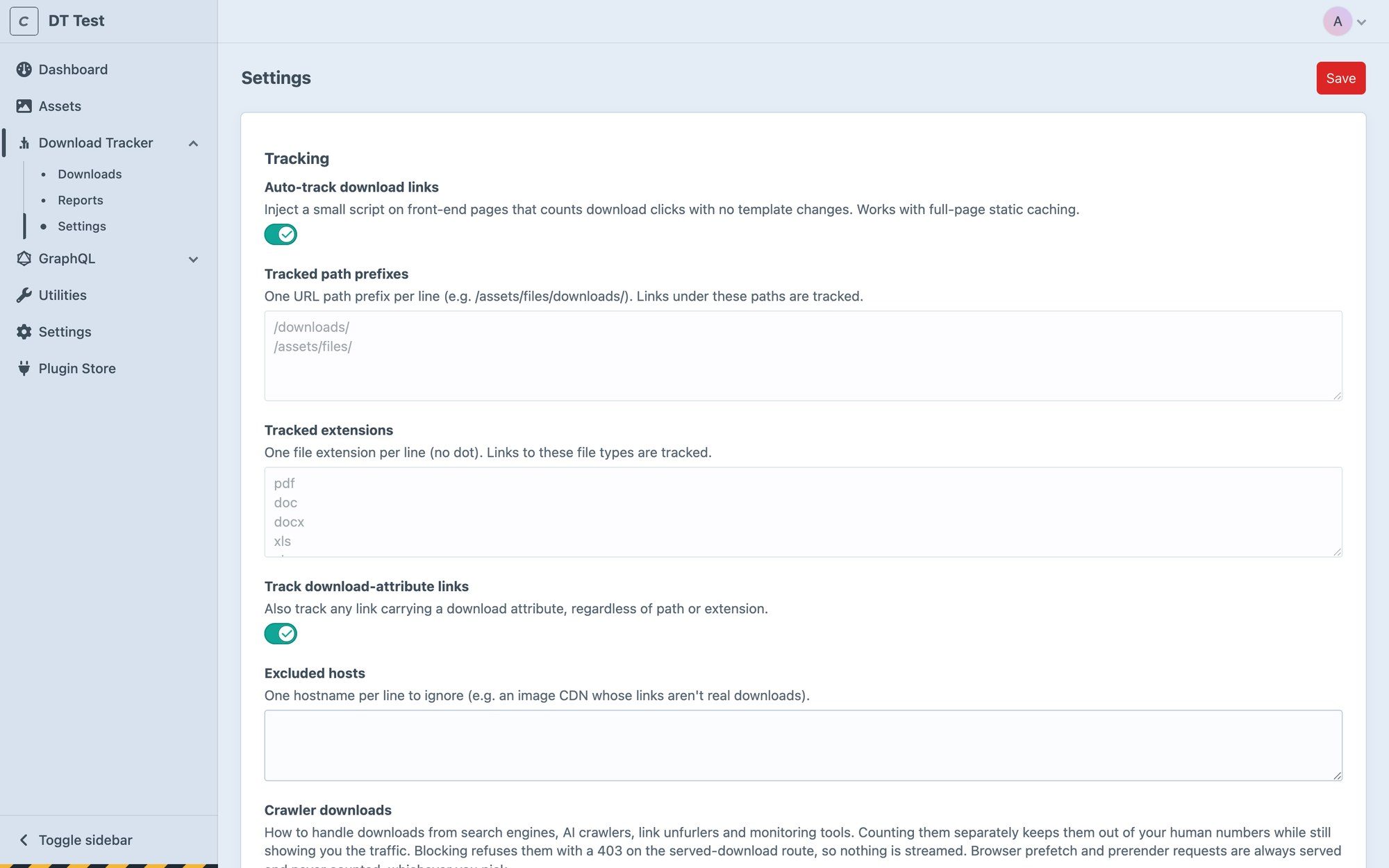
  • Download Tracker settings, including auto-track download links, tracked path prefixes, crawler downloads and served-download options.
    (view larger)
    Settings for tracking, crawlers, managed links and retention.

Pricing

One price

Prices are in US dollars, handled by the Craft Plugin Store. You can try it free in a development environment first.

Get started

Install Download Tracker

  1. Require it with Composer:
    composer require coysh-digital/craft-download-tracker
  2. In the control panel, go to Settings → Plugins and install it.
  3. The documentation (opens in a new tab) covers the settings and everything after that.

Questions

Questions people ask

Does it work with Blitz and other static caches?
Yes. It was built for them. A cached page never runs PHP, so the plugin counts on a small background request that static caches let through. Managed download links are their own request too, so neither route depends on your page reaching PHP.
Do I need to change my templates?
No. With Auto-track download links on, which is the default, a small script counts clicks on links under your tracked paths, links to tracked file types and links with a download attribute. Add data-dt-ignore to any link you want left out.
How are bots and crawlers handled?
By default they are counted separately, so the total includes them and the people figure does not. You can also choose not to count them, or refuse them with a 403 on managed links. Prefetch and prerender requests are always served and never counted.
Can I track members-only or private files?
Yes, with a managed link from craft.downloadTracker.url(). It counts on the server, then redirects to the file or streams it through Craft. Turn on Require login for gated files. A managed link works for anyone who has it, so keep links to private files off publicly cached pages.
Can I bring my Link Vault history with me?
Yes. Install Download Tracker alongside Link Vault and import before you uninstall it, because the importer reads Link Vault's tables directly. Totals, last-downloaded dates and daily history come across. Who downloaded what, and a people and crawler split, do not.
Does it run on Craft 4?
Yes. From 1.4.0, one release runs on Craft 4.0 and later and Craft 5.0 and later, with no separate branch to choose between. PHP 8.2 is the minimum on both.
Can I show download counts on the front end?
Yes, through the Twig API: total(), userTotal(), crawlerTotal(), daily(), record() and top(). Avoid printing a live count straight into a statically cached page, as it will freeze until the cache is regenerated. Show it in the control panel or load it with a small client-side request.
What happens to my data if I uninstall it?
Uninstalling removes the plugin's tables, including your counters and day-by-day history. Export anything you want to keep from the Downloads screen first.

Support

Help when you need it

More plugins

From Coysh Digital

All plugins
  • Craft Analytics

    Craft CMS Lite free, Pro $69

    Privacy-first, consent-aware analytics that runs inside Craft CMS.

  • Formie Beacon CRM

    Craft CMS Free

    A completely free Beacon CRM integration for Formie.

  • Rule-driven webhook notifications for Craft CMS, with first-class Microsoft Teams support.

Get in touch

Use the form below to tell us about your project, or email [email protected] directly. We’ll get back to you as soon as we can to see how we can help.