Craft CMS plugin

Craft Analytics

Privacy-first, consent-aware analytics that runs inside Craft CMS.

Overview

Craft Analytics is a privacy-first analytics plugin for Craft CMS 5. It is first-party and cookieless by default, runs on your own server, and does not send visitor data to a third-party analytics platform.

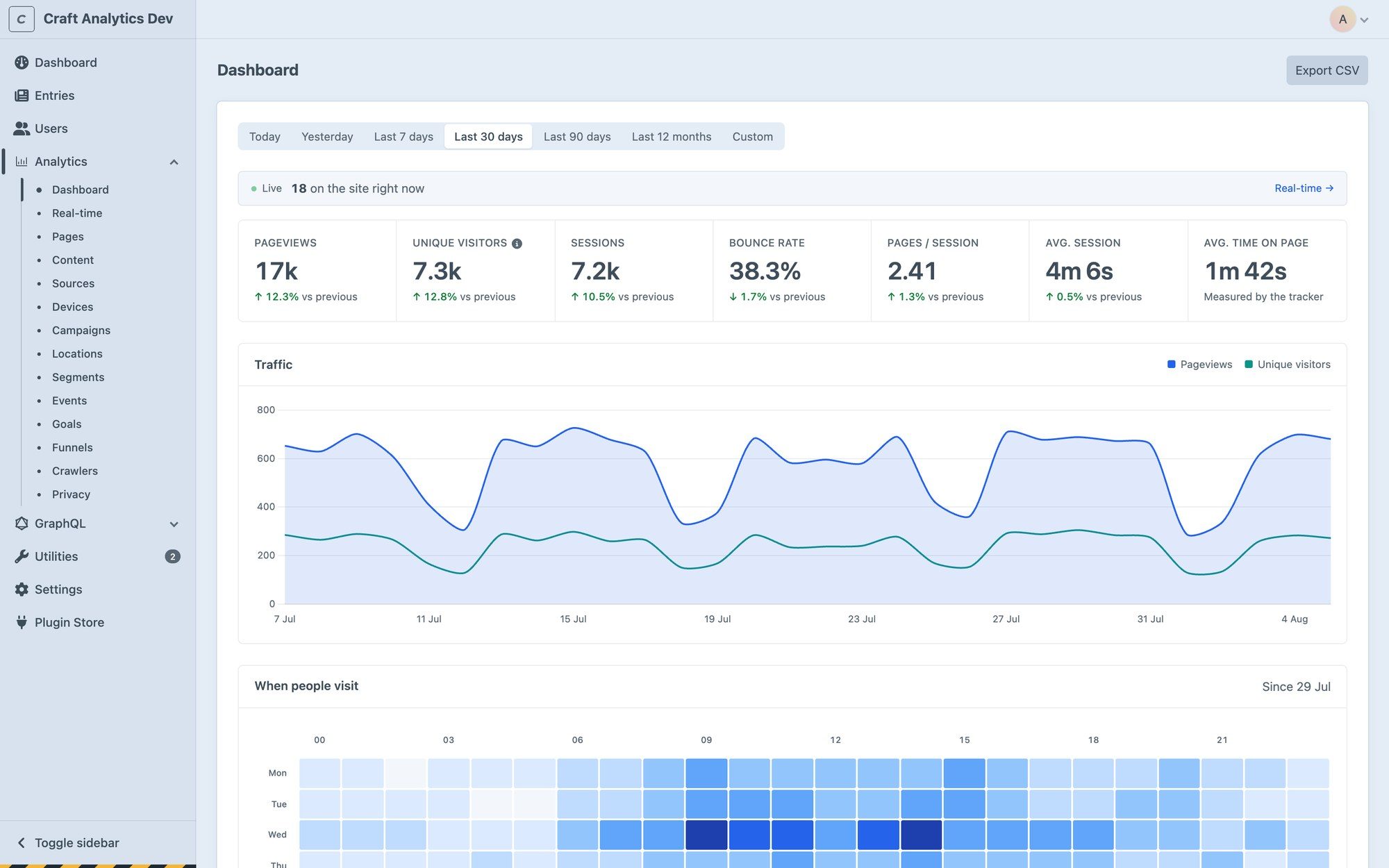
It reports on the content model Craft already understands, including sections, entry types, and authors. Lite includes the core reports, while Pro adds campaigns, geography, events, goals, funnels, integrations, and the GraphQL API.
  • No cookies by default

    Visitors are counted with a hash whose salt is replaced every 24 hours. Nothing is stored on the device.

  • No IP addresses stored

    Used in memory to compute the hash, then dropped. Never written to a table, a log or a cache key.

  • Reports on your content

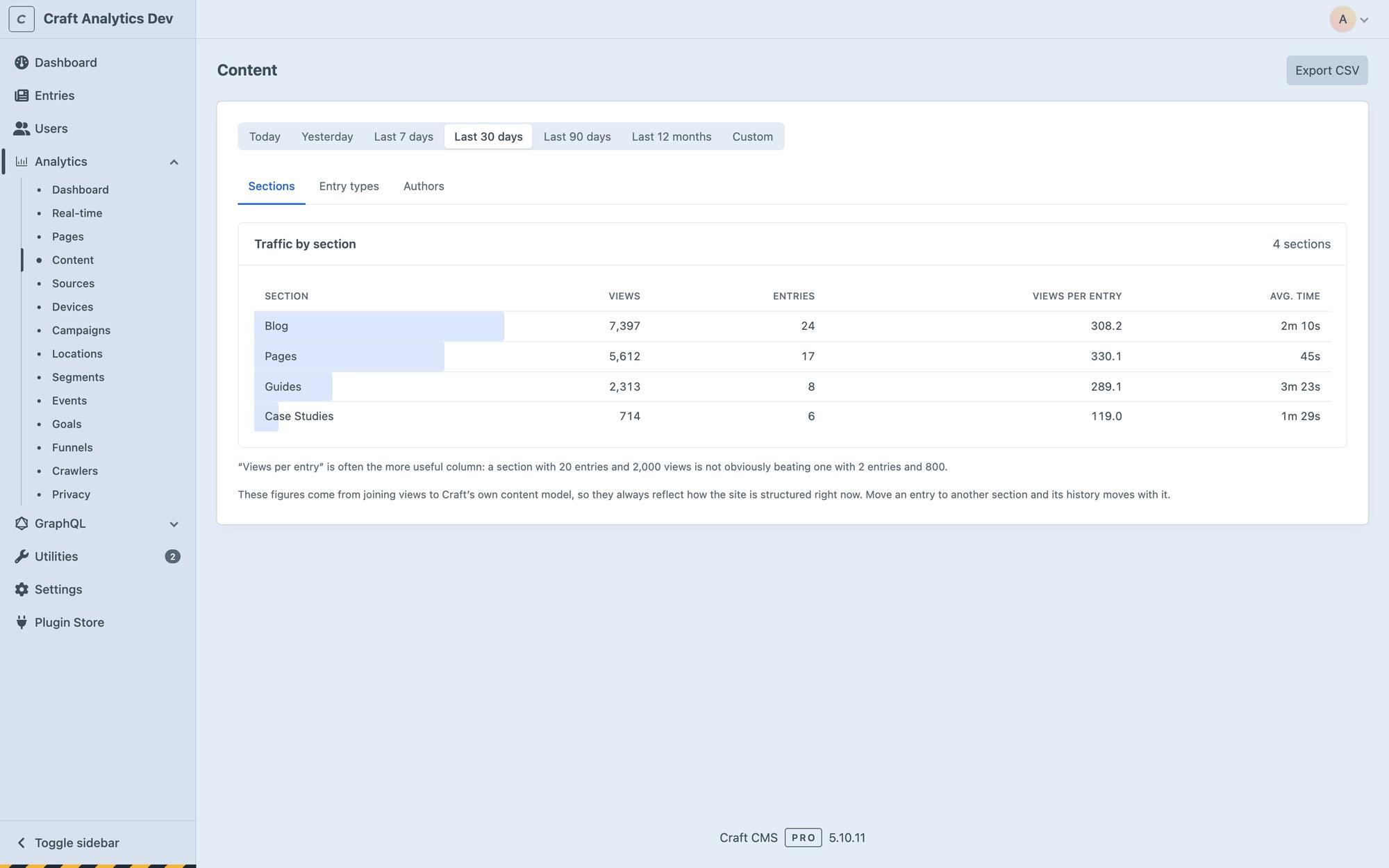
    Traffic by section, entry type and author, plus views and a sparkline in each entry's sidebar.

Features

What it does

  1. Cookieless by default

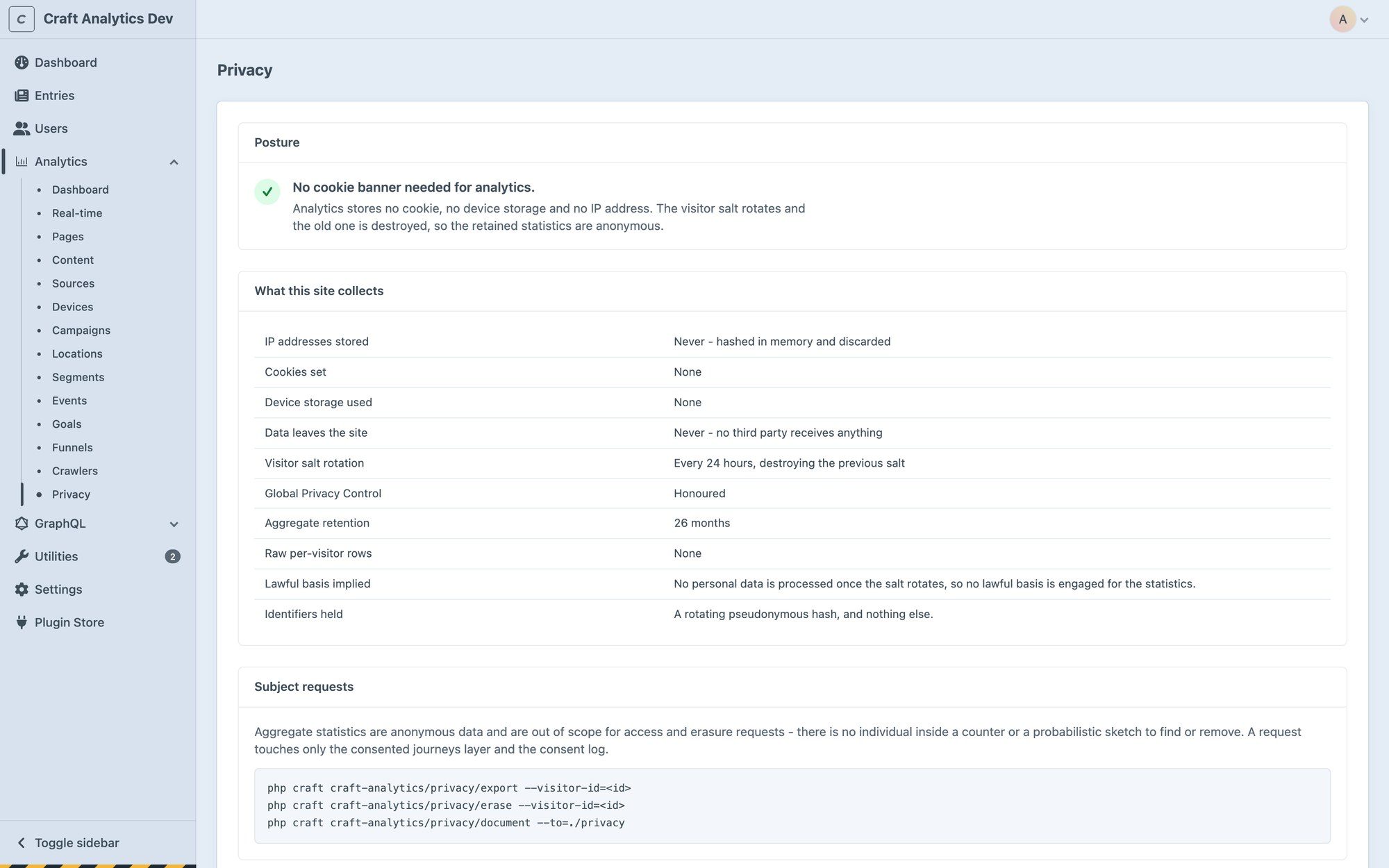
    Visitors are counted with a hash built from a daily salt that is then destroyed. No cookie, no local storage and no device identifier, so there is nothing to consent to.

  2. No IP addresses stored

    The address is used in memory to work out the hash and then dropped. It is never written to a table, a log or a cache key.

  3. Accurate behind a cache

    Hybrid tracking counts in PHP and confirms from a small first-party script, with a one-time nonce to stop double counting. Blitz, Cloudflare and Varnish need no configuration.

  4. Built on your content model

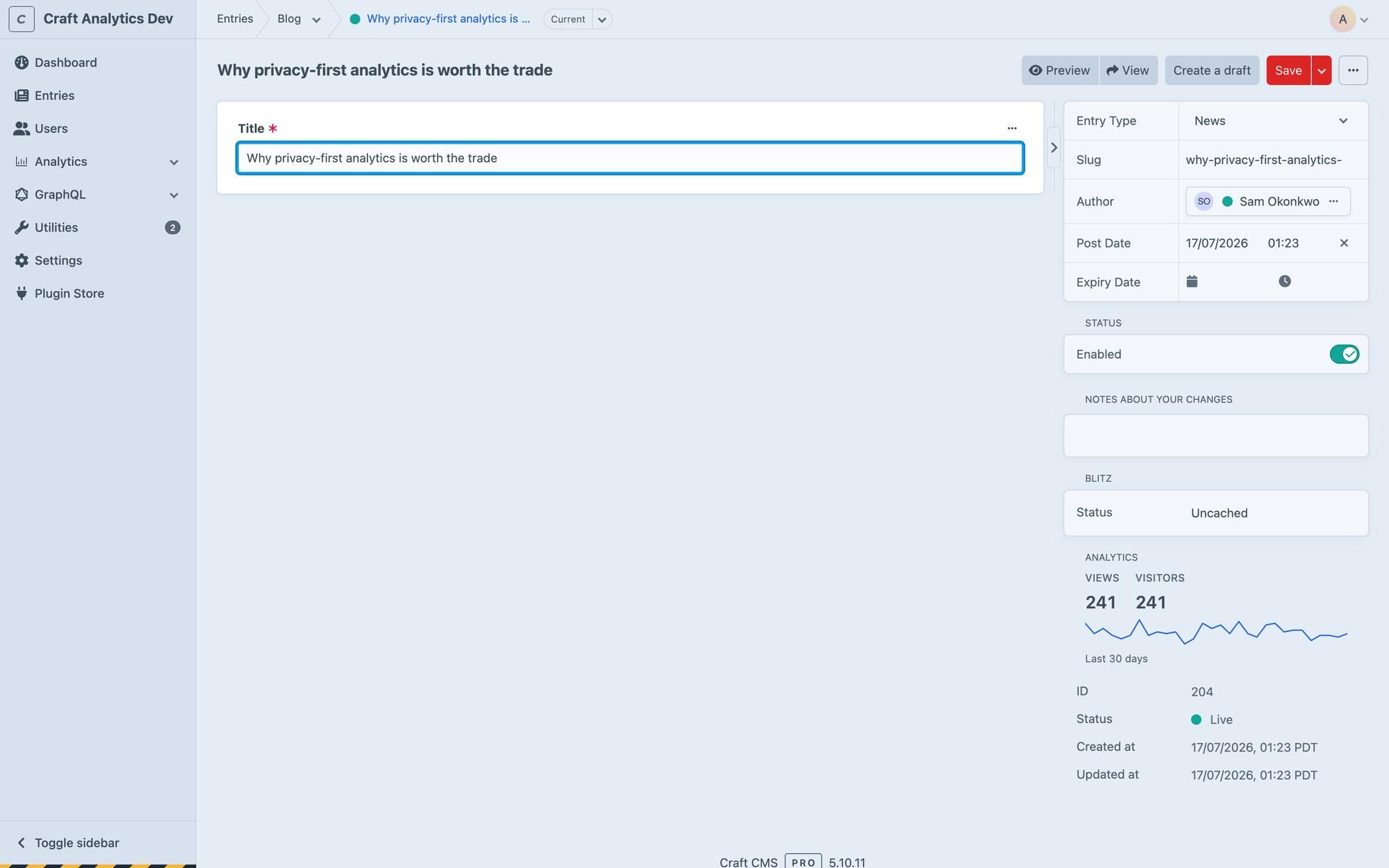
    Traffic by section, entry type and author, views per entry, a sidebar panel with a 30-day sparkline in every entry, and a Views column on the entries index.

  5. No effect on page speed

    Capture runs after the response has been sent. On the development harness the time-to-first-byte difference was 0.46 ms, which is within the noise.

  6. Storage that stays small

    Pageviews become rollup rows rather than per-hit rows, and unique visitors are estimated with a fixed-size sketch. A page viewed a million times takes the same one row.

  7. Crawlers kept out

    Bots are kept out of every figure and counted on their own Crawlers screen. An optional bot-score header from your CDN catches bots posing as browsers.

  8. Import from GA4

    Bring your Google Analytics 4 history across so the reports don't start empty. Available in both editions; campaigns, geography and events import on Pro.

  9. Privacy screen and paperwork

    A Privacy screen reports what your configuration permits, and a console command drafts a ROPA entry, privacy notice appendix and DPIA summary from your live settings.

  10. Goals and funnels (Pro)

    Count page visits, events, entry views, time on site or scroll depth as goals, with a value if you like, then see where people drop out of a sequence.

  11. Campaigns, locations and events (Pro)

    UTM campaigns with a choice of attribution model, country and region from a geo database on your own server, custom events, outbound clicks, downloads and scroll depth.

  12. Integrations and API (Pro)

    Formie submissions and Commerce orders counted as events, emailed summaries, consented Tier 2 tracking with CMP adapters, and a GraphQL API.

Screenshots

See it in the control panel

Pricing

Pick an edition

  • Lite

    Free

    A full analytics tool, not a trial

    • Pageviews, visitors, sessions and bounce rate
    • Real-time
    • Pages, sources and devices
    • Content: sections, entry types and authors
    • Crawler reporting
    • CSV and JSON export
    • Entry sidebar and dashboard widgets
    • GA4 history import
    Get it free (opens in a new tab)

Prices are in US dollars, handled by the Craft Plugin Store. You can try it free in a development environment first.

Get started

Install Craft Analytics

  1. Require it with Composer:
    composer require coyshdigital/craft-analytics
  2. In the control panel, go to Settings → Plugins and install it.
  3. The documentation (opens in a new tab) covers the settings and everything after that.

Questions

Questions people ask

Do I need a cookie banner for it?
In its default configuration it sets no cookie, uses no device storage and stores no IP address. Each visitor hash uses a salt that is destroyed every 24 hours, and that is what the banner-free approach rests on. Pro's consented tracking changes this, and the Privacy screen warns when a setting does. The privacy documents it drafts are not legal advice.
Why don't my visitor numbers match Google Analytics?
Unique visitors are counted day by day. The salt behind the visitor hash rotates every 24 hours, so someone who visits on three days counts three times. Sessions and pageviews are exact. Totals often read higher than GA4, which blockers and consent banners stop, and lower than Cloudflare or server logs, which include bots.
Does it work behind Blitz, Cloudflare or Varnish?
Yes, with no cache configuration. In the default hybrid mode PHP counts the pages it renders and a small first-party script counts the rest. A one-time nonce, checked per visitor, stops the two counting the same view.
Do I need a cron job?
It helps. A cron entry running craft-analytics/drain/run every five minutes keeps the reports current, and a daily gc job compacts and tidies old rows. If your host has no cron, the plugin drains itself from ordinary traffic instead, at most once a minute. That fallback is on by default.
Can I import my Google Analytics history?
Yes. Utilities → Import GA4 History connects to your own Google account and backfills the days before you installed the plugin. It only reads what Google already holds, and leaves days the plugin has tracked untouched. Pages, sessions, sources and devices import on Lite; campaigns, geography and events need Pro.
Is Lite just a trial?
No. Lite is a usable analytics tool on its own. Pro adds campaigns, geography, events, goals and funnels, integrations, emailed summaries and the GraphQL API. Upgrading is a licence change: both editions use the same tables, so your data carries over with no migration.
Will it slow my site down?
Capture runs after the response has been sent to the visitor. On the development harness the time-to-first-byte difference was 0.46 ms, which is within the noise, and the capture itself took 42 µs at the 99th percentile.
Why are my reports empty?
Usually the drain hasn't run yet. Run php craft craft-analytics/drain/run, then check Analytics → Real-time. Testing with curl or headless Chrome won't count either: both look like bots, and curl runs no JavaScript. Control panel requests, previews and non-HTML responses are never tracked.

Support

Help when you need it

More plugins

From Coysh Digital

All plugins
  • Download Tracker

    Craft CMS $10

    Lightweight, static-cache-friendly download tracking for Craft CMS.

  • Formie Beacon CRM

    Craft CMS Free

    A completely free Beacon CRM integration for Formie.

  • Rule-driven webhook notifications for Craft CMS, with first-class Microsoft Teams support.

Get in touch

Use the form below to tell us about your project, or email [email protected] directly. We’ll get back to you as soon as we can to see how we can help.